

New Zealand NZeTA App: Your Complete Guide to Applying on Mobile
The New Zealand Electronic Travel Authority (NZeTA) app is the fastest and cheapest way to get your travel authorization before visiting Aotearoa New Zealand. Developed by Immigration New Zealand, the free mobile app lets you complete your entire NZeTA request in under five minutes – from scanning your passport to paying the fee.
What Is the NZeTA App?
The NZeTA app is the official mobile application published by New Zealand’s Ministry of Business, Innovation and Employment (MBIE). It allows eligible travellers to request an NZeTA directly from their smartphone, eliminating the need to fill out forms on a desktop browser.
Key advantages of the app over the online form:
- Lower cost – NZD $17 via the app versus NZD $23 online
- Passport scanning – use your phone camera to scan the machine-readable zone (MRZ) of your passport, auto-populating your personal details
- Card scanning – scan your credit or debit card for quick payment instead of typing card numbers manually
- Faster processing – the streamlined workflow means most requests are submitted in under five minutes
- Photo capture – take a compliant passport-style photo directly within the app using your device’s front camera
How to Download the NZeTA App
The app is available free on both major mobile platforms:
- Android – download from Google Play Store (search “NZeTA” or look for the publisher “NZ Immigration”)
- iOS (iPhone) – download from the Apple App Store (search “NZeTA” published by New Zealand Government)
Always download from the official app stores to avoid fraudulent copies. The legitimate app is published under the government publisher name and has the Immigration New Zealand branding.
Step-by-Step: How to Apply Using the NZeTA App
The application process through the app follows five clear steps:
Step 1: Enter Traveller Information
Open the app and select your nationality as shown on the passport you will use to travel. The app will confirm whether you are eligible for an NZeTA.
You will need to provide:
- Full name (as it appears on your passport)
- Date of birth
- Passport number and expiry date
- Nationality
- Contact email address
Using the passport scanner, you can point your camera at the passport data page and the app will automatically extract your details.
Step 2: Upload or Take a Photo
You must provide a photo of your face that meets Immigration New Zealand’s photo requirements. You can either:
- Take a new photo using your device’s front camera
- Upload an existing photo from your device’s gallery
The photo must show your face clearly, with a neutral expression, against a plain background. Glasses should be removed if they cause glare.
Step 3: Review and Confirm Details
Check all the information the app has captured. If you used the passport scanner, verify that every field was read correctly. Incorrect passport details could prevent you from travelling.
Step 4: Complete the Declaration
Answer character and health declaration questions honestly. These cover:
- Criminal convictions
- Previous deportation or removal from any country
- Health conditions
- Purpose of visit (visiting or transiting)
Step 5: Pay and Submit
The app accepts Visa and Mastercard credit or debit cards. The total cost via the app is:
| Fee | Amount |
|---|---|
| NZeTA (app) | NZD $17 |
| International Visitor Conservation and Tourism Levy (IVL) | NZD $100 |
| **Total** | **NZD $117** |
The IVL is mandatory for all visitors entering New Zealand and funds tourism infrastructure and environmental protection. Transit passengers who remain in the airport transit area are exempt from the IVL.
NZeTA App vs Online Form
| Feature | App | Online Form |
|---|---|---|
| Cost | NZD $17 | NZD $23 |
| Processing time | Allow 72 hours | Allow 72 hours |
| Passport scanning | Yes | No |
| Card scanning | Yes | No |
| Photo upload | Yes (camera or gallery) | Yes (upload only) |
| Availability | Android and iOS | Any web browser |
| Languages | English, Chinese (Simplified) | English, Chinese (Simplified) |
The app is the recommended option by Immigration New Zealand. It costs NZD $6 less and offers a more streamlined experience.
Processing Time and Validity
Allow up to 72 hours for your NZeTA request to be processed after submission. Many requests are approved much sooner – sometimes within minutes – but you should always apply well in advance of your travel date.
Once approved, your NZeTA is valid for:
- 2 years for regular travellers
- 5 years for airline and cruise ship crew members
During the validity period, you can travel to New Zealand multiple times. Each visit allows a stay of up to 3 months (or 6 months for UK passport holders).
You can check your NZeTA status at any time through the app or via the online portal at nzeta.immigration.govt.nz.
What You Need Before You Start
Gather these items before opening the app:
- A valid passport – the one you will use to travel to New Zealand, with at least 3 months validity beyond your planned departure date
- A credit or debit card – Visa or Mastercard only
- An email address – for receiving your NZeTA confirmation
- A photo-ready device – your smartphone camera or a saved photo that meets the requirements
Who Needs an NZeTA?
You need an NZeTA if you are:
- A citizen of a visa waiver country visiting New Zealand
- An Australian permanent resident visiting New Zealand
- A cruise ship or cargo ship passenger arriving in New Zealand
- A transit passenger passing through Auckland International Airport
- A citizen of China or a Pacific Islands Forum country travelling from Australia with an eligible Australian visa
You do not need an NZeTA if you are:
- A New Zealand citizen or resident visa holder
- An Australian citizen travelling on an Australian passport
- Travelling on a valid New Zealand visa
Tips for a Smooth NZeTA App Experience
- Apply early – do not wait until the last minute. Allow the full 72-hour processing window
- Check passport details – the scanner is fast but not perfect. Always verify the extracted data
- Use a plain background for your photo – a light-coloured wall works best
- Ensure good lighting – avoid shadows on your face when taking the in-app photo
- Keep your card details handy – have your Visa or Mastercard ready before starting
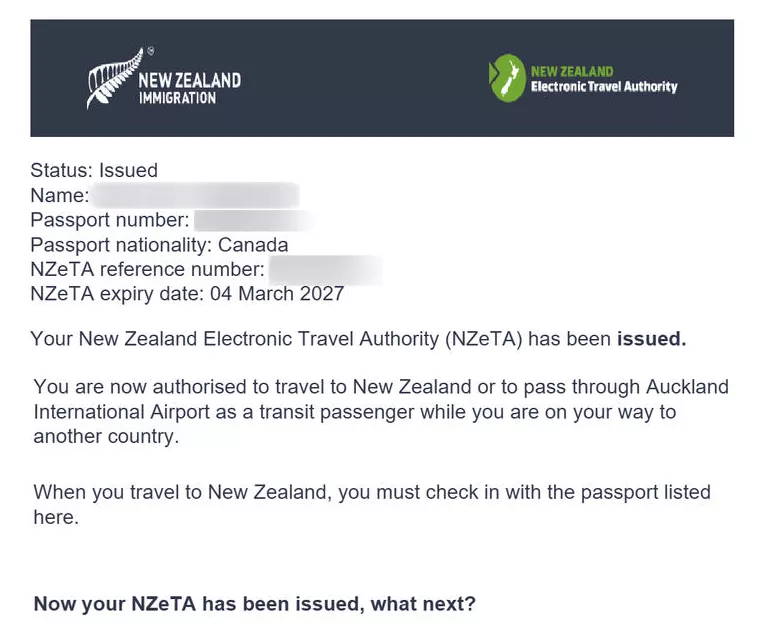
- Save your confirmation – take a screenshot or note your NZeTA reference number
Frequently Asked Questions
Is the NZeTA app free to download?
Yes, the app is completely free. You only pay the NZD $17 application fee and the NZD $100 IVL when submitting your request.
Can I use the app if I already started my application online?
No. If you began your NZeTA request on the website, you must complete it there. Start a new request in the app only if you have not yet begun the process online.
What if my NZeTA is declined?
If your NZeTA request is declined, you may need to apply for a full Visitor Visa instead. Contact Immigration New Zealand for guidance on your specific situation.
Do children need an NZeTA?
Yes. Every traveller, including infants and children, needs their own NZeTA. Parents or guardians can complete the app process on behalf of children.
Can I update my NZeTA after submission?
You can update some details through the app or online portal. However, if your passport number or nationality changes, you will need to request a new NZeTA.
What happens at the New Zealand border?
An NZeTA does not guarantee entry. When you arrive, a border officer will check that you meet all entry requirements, including having a return ticket, sufficient funds, and genuine intentions to visit.
Official Resources
For the most up-to-date information, always refer to:
- NZeTA application portal – nzeta.immigration.govt.nz
- Immigration New Zealand – immigration.govt.nz
- Photo requirements – immigration.govt.nz/new-zealand-visas/apply-for-a-visa/tools-and-information/acceptable-photos
- Visa checker tool – immigration.govt.nz/visit/what-you-need-to-visit-new-zealand/visa-tool-test